
Security
BeyondTrust Remote Support / PRA: Patch the Pre‑Auth RCE (CVE‑2026‑1731) Before It Becomes Your Next Incident
A critical pre-auth OS command injection bug in BeyondTrust RS/PRA can lead to remote code execution. If you run self-hosted and are internet-exposed, this is a ‘patch now’ item—plus a few fast controls to cut risk even before the window.
Remote support tools are supposed to reduce downtime.
But when they’re internet‑reachable and a pre‑auth RCE drops, they can become the fastest route into your estate.
Executive summary (3 bullets)
- If you run BeyondTrust Remote Support (RS) or Privileged Remote Access (PRA), confirm versions and exposure today. This is a pre‑authentication remote code execution risk.
- Patch/upgrade ASAP (RS 25.3.2+, PRA 25.1.1+) and treat internet‑exposed instances as highest priority.
- Don’t wait on the perfect change window: reduce blast radius immediately (restrict access paths, tighten auth, monitor for suspicious requests).
What changed
BeyondTrust released fixes for CVE‑2026‑1731, described as an OS command injection vulnerability that can allow an unauthenticated attacker to execute operating system commands “in the context of the site user.”
Reportedly affected versions include:
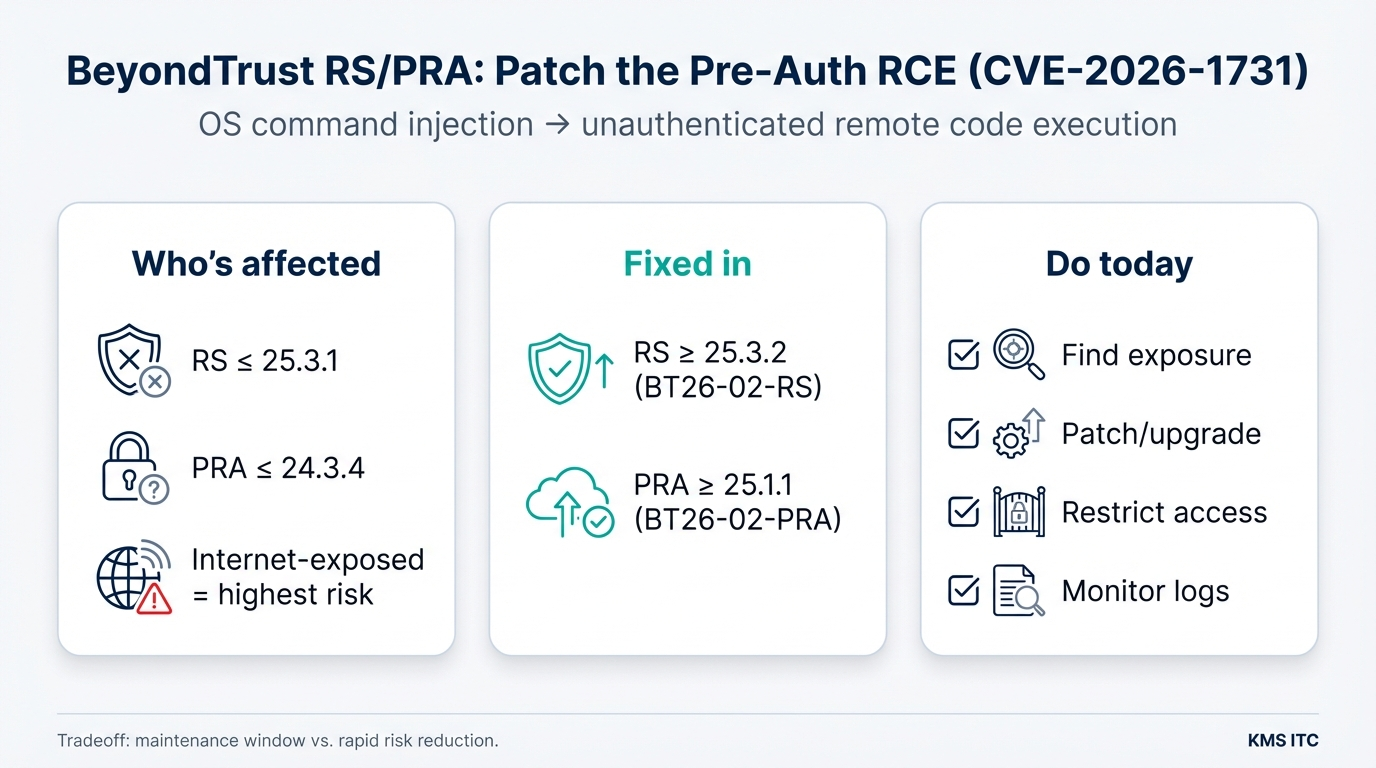
- Remote Support (RS): 25.3.1 and earlier
- Privileged Remote Access (PRA): 24.3.4 and earlier
Fixed builds/patches are:
- RS: 25.3.2 and later (BT26‑02‑RS)
- PRA: 25.1.1 and later (BT26‑02‑PRA)
Why it matters
Pre‑auth RCE changes the economics of an attack:
- No credentials needed → attackers can scan at scale.
- Remote support infrastructure often has privileged network reach → compromise can cascade.
- Even if “no active exploitation is known yet,” time between disclosure and exploitation is often measured in days, not months.
In practical terms, the riskiest pattern is:
- a self‑hosted RS/PRA instance is reachable from the public internet
- patching lags (maintenance windows, change freezes, or “we’ll get to it later”)
- attackers gain code execution and pivot internally
Version reference: RS 25.3.1 and earlier are affected; fix is 25.3.2+ (BT26-02-RS). PRA 24.3.4 and earlier are affected; fix is 25.1.1+ (BT26-02-PRA).
What to do (copy/paste checklist)
Identify
- Inventory RS/PRA instances (prod + DR + “temporary” support boxes).
- Confirm versions: RS ≤ 25.3.1? PRA ≤ 24.3.4?
- Determine exposure: public internet, partner networks, VPN-only, or internal only.
Patch / upgrade
- Upgrade RS to 25.3.2+ (or apply the vendor patch for BT26‑02‑RS).
- Upgrade PRA to 25.1.1+ (or apply the vendor patch for BT26‑02‑PRA).
- If you’re on very old versions, plan an upgrade path first (don’t get stuck unable to apply the fix).
Reduce blast radius immediately (even before the window)
- Put RS/PRA behind VPN / ZTNA where possible (remove direct internet exposure).
- Add IP allowlists (corp egress, jump hosts, specific partner ranges).
- Ensure MFA and least-privileged admin roles are in place.
- Review and restrict outbound connectivity from the host/network segment.
Detect & verify
- Increase logging around the RS/PRA web endpoints and admin actions.
- Watch for unusual request patterns (bursts, odd user agents, repeated errors).
- After patching, run a quick validation: version check + external reachability test + basic functional smoke test.
Risks / tradeoffs
- Maintenance windows vs. exposure: patching may require service disruption; leaving a pre‑auth RCE unpatched is usually the bigger business risk.
- Access restrictions can break workflows: IP allowlisting and VPN gating may impact third‑party support. Document the new access path and provide a fallback.
- “Just patch” isn’t enough long-term: remote support platforms deserve the same rigor as identity systems—segmentation, monitoring, and least privilege.