
Enterprise Architecture
OpenClaw vs ZeroClaw vs Agent Zero vs frameworks: choosing a workstation AI assistant (2026)
The decision isn’t ‘which agent is smartest?’. It’s which operating model you want on your workstation: chat-first assistant, secure daemon, deep execution agent, or a framework you assemble yourself.
Executive summary
A workstation agent is not just “an LLM with tools”. It’s an operating model for how work happens on (and around) a personal machine.
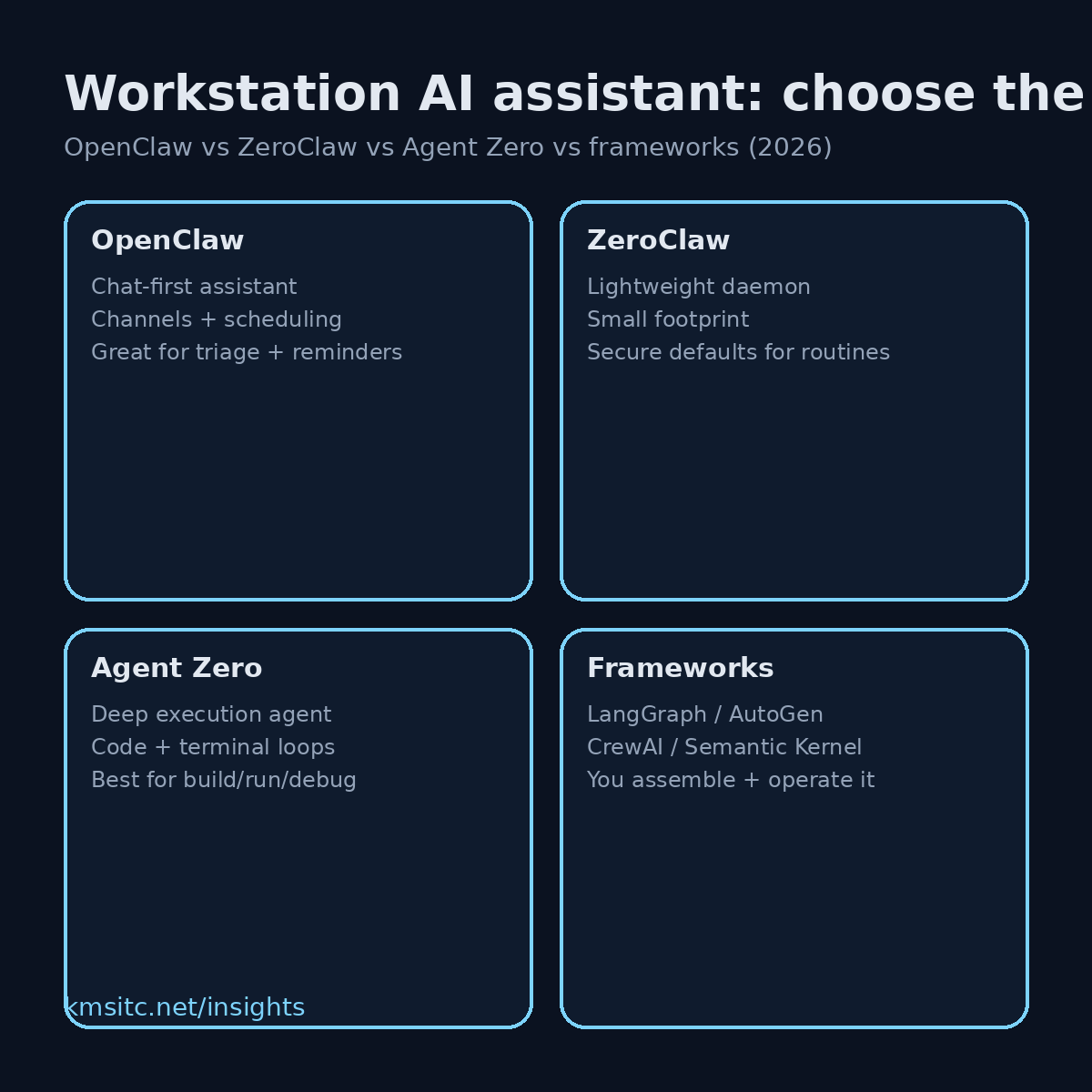
Four patterns show up repeatedly:
- Chat-first personal assistant (multi-channel, reminders, triage) → OpenClaw
- Secure lightweight daemon (scheduled tasks, minimal footprint) → ZeroClaw
- Deep execution agent (code + terminal + iterate-until-done loops) → Agent Zero
- Framework toolkit (you assemble the system) → LangGraph, AutoGen, CrewAI, Semantic Kernel, PydanticAI
The practical choice is about blast radius, ergonomics, and lifecycle:
- If your workflows live in chat and you want scheduling + “ops in conversation”, a chat-first assistant fits.
- If you want “cron with brains” and strict defaults, a daemon fits.
- If you want the agent to build and run real artefacts (scripts, repos, containers) and self-correct, a deep execution agent fits.
- If you want to design your own patterns and ship them into apps/services, pick a framework.
What changed
The 2024–2026 shift is that “agent” now commonly means multi-step execution, not just text generation.
That has three consequences for workstation deployments:
- Tools are the product
The difference between a “helpful assistant” and an “always-on risk” is what tools exist (files, shell, browser, email), how they’re gated, and where credentials live.
- Scheduling moved from afterthought to core capability
Real value comes from recurring workflows: daily triage, weekly reporting, incident summaries, document processing pipelines.
- Operational characteristics matter
Memory footprint, startup, isolation boundaries, and permissioning decide whether the agent becomes part of the workstation’s daily routine or gets disabled.
Why it matters (enterprise architecture lens)
Workstation agents sit at a sensitive intersection:
- Identity and secrets (OAuth tokens, keyrings, cookies)
- High-trust interfaces (chat channels, email, internal docs)
- Local data (files, screenshots, browser sessions)
- Execution surfaces (shell, package managers, container runtimes)
Architecturally, the key question is:
Where is the control plane?
- For chat-first assistants, the control plane is often the “gateway” (channels, scheduling, permissions, audit).
- For daemons, the control plane is typically config + allowlists + a small tool surface.
- For execution agents, the control plane is isolation (containers/workspaces), explicit approval flows, and logging of actions.
- For frameworks, the control plane becomes your application architecture (policy, identity, observability, evals).
If the control plane is vague, you get a predictable outcome: an agent that’s powerful enough to be risky, but not governed enough to be trusted.
What to do (a pragmatic selection guide)
Step 1: Choose the operating model
A) Chat-first assistant (OpenClaw style)
Pick this if the workstation agent is primarily:
- a multi-channel inbox for work (Telegram/Slack/WhatsApp/etc.)
- a reminder + scheduling engine
- a triage and drafting machine
- a “light ops” assistant that can run small tasks and report back
Fit signals:
- the user experience is the conversation
- you want a single place to orchestrate routines
B) Secure daemon (ZeroClaw style)
Pick this if you want:
- a tiny always-on process
- scheduled tasks with predictable behaviour
- minimal dependencies and attack surface
Fit signals:
- you want “automation first”, not a chat product
- you want strong defaults and a constrained tool model
C) Deep execution agent (Agent Zero style)
Pick this if the agent must:
- write code, run it, debug it, and iterate
- manage repos and artefacts
- operate in sandboxes/containers and do multi-step technical work
Fit signals:
- you’re using it like a junior engineer (under supervision)
- success is measured by changed files, passing tests, or deployed outputs
D) Framework/toolkit (LangGraph, AutoGen, CrewAI, Semantic Kernel, PydanticAI)
Pick this if you’re:
- building an internal agent product
- embedding agents into apps/services
- designing custom orchestration, state, and policies
Fit signals:
- you need explicit control over state machines, routing, and tool contracts
- you’re willing to own the “platform” pieces (logging, eval, security)
Step 2: Apply a workstation-specific checklist
Use this checklist before you commit:
- Isolation boundary: workspace folder only, container per task, or full host access?
- Credential model: where do tokens live, and how are they rotated/revoked?
- Tool blast radius: which tools are allowed by default, and can they be scoped per workflow?
- Approvals: do risky actions require explicit user approval (and is it usable)?
- Auditability: can you reconstruct “what happened” after the fact?
- Update model: how do you patch quickly, and what breaks when models/tools change?
- Failure modes: does it fail safe (do nothing) or fail open (keep trying)?
Step 3: Consider a layered approach
In practice, many teams end up with a layered workstation model:
- Chat-first assistant for day-to-day comms + scheduling
- Execution agent for technical “build and run” work, inside a constrained sandbox
- Daemon for ultra-light recurring jobs on endpoints and edge boxes
- Framework for production-grade agent apps and shared services
This avoids forcing one product to do everything.
Risks and trade-offs
1) Power vs safety
The more “useful” the agent is, the more surfaces it touches. That increases:
- data exposure risk (files, browser state, internal docs)
- operational risk (executing commands, modifying repos)
- compliance risk (PII in traces/logs)
Design principle: default-deny tools, explicit allowlists, and human approval for high-impact actions.
2) Convenience vs governance
A chat-first assistant is easy to adopt — which is also why it can quietly become shadow IT if identity, policy, and audit aren’t deliberate.
3) Framework flexibility vs total cost of ownership
Frameworks look “clean” on paper, but they push responsibility onto you:
- auth and secrets
- sandboxing
- observability and evals
- production operations
If you don’t already have platform capacity, a framework-first approach tends to stall.
4) Model drift and tool drift
Workstation agents are exposed to changing dependencies:
- model behaviour changes
- tool schemas evolve
- APIs deprecate
- browser automation breaks
Mitigation: treat critical workflows like software: version, test, and gate.